
How to Search for a Robertson County Warrant
There is no complete public Robertson County or Texas warrant database. The Sheriff's Most Wanted page offers a first-or-last-name field and selected list controls. It does not expose a warrant number, court, bond, or date-of-birth filter. Treat it as a public-safety listing, not a status system.
Read the citation or notice for the named court, precinct, cause number, or city. Have that information ready when calling. A family member may help with an authorized inquiry, but the clerk may need enough details to locate the correct file. Do not send a full driver's-license or Social Security number through ordinary email.
- Check the sheriff's Most Wanted interface using your own name or an authorized family inquiry.
- Identify whether the notice names the 82nd District Court, County Court, a JP precinct, or a city court.
- Call that court to ask whether a warrant or other process is recorded and what number locates the case.
- Ask the Sheriff's Records Division for a targeted sheriff-generated report if the request concerns its records.
- For an FTA/FTP license hold, contact the court first; DPS says its specialists cannot confirm warrants.
Robertson County Search Starts With the Court
Choose the record path from the paper in hand. The 82nd District Court serves Falls and Robertson Counties; its District Clerk maintains district files. The County Clerk handles county-court records. Four Justice Courts hear precinct traffic and fine-only cases, and Calvert, Franklin, Hearne, and Bremond each operate a municipal court.
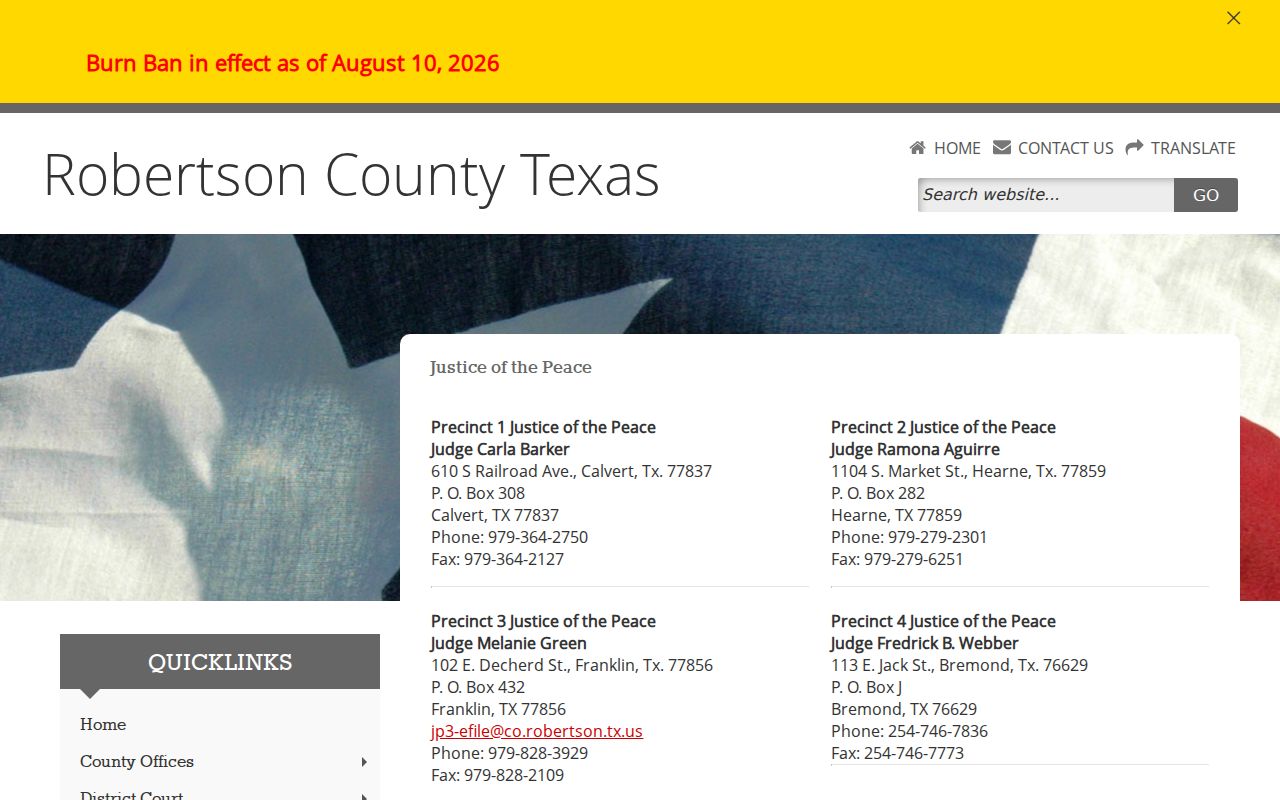
The county Justice page lists all four JP offices and links the county TrafficPayment selector. A city ticket must use that city's court, even when the same town also has a JP account. A general search by name can point toward a record, but only the issuing court can confirm what remains open.
| Notice names | First contact | Local clue |
|---|---|---|
| 82nd District Court | District Clerk | District cause number |
| County Court | County Clerk | County-court docket |
| JP1, JP2, JP3, or JP4 | Named JP clerk | Separate precinct payment account |
| City of Calvert, Franklin, Hearne, or Bremond | City municipal clerk | City account, not the nearby JP |
Robertson County Warrant Search Fields
The sheriff interface is not a court index. Its visible search controls identify a name and the public list view, but they do not let a reader filter by court or warrant number. The site gives no matching rule for partial names or common-name results.
| Field Label | Type | Required | Notes |
|---|---|---|---|
| Name | Text field | Unspecified | Prompt says first or last name; match rule is not published. |
| Current | Tab | No | Public-list category, not a legal status definition. |
| Arrested | Tab | No | Separate page category; not a warrant-clearance confirmation. |
| Newest to Oldest | Sort control | No | Sort option shown on the interface. |
| Oldest to Newest | Sort control | No | Sort option shown on the interface. |
| Search / Show All | Buttons | No | Controls for the curated list, not a complete county search. |
Robertson County's Warrant Field Gap
The sheriff's jail roster is a booking tool, not a warrant lookup. It shows booking number and time, inmate ID, age, charge, bond, release time, and a profile link. It does not expose a warrant number or issuing-court filter. A booking charge marked “BENCH WARRANT” describes that booking, not every outstanding warrant in the county.
The county's four JP offices are spread across Calvert, Hearne, Franklin, and Bremond. This screenshot shows the county's precinct directory; use it to identify the right court, then call that clerk for case status.
Use the active-warrant page to understand the difference between a curated public list and a court's live status.
What a Warrant Search Returns
No public Robertson County interface was found that returns a complete warrant record with judge, warrant number, current status, and bond. A court or clerk may be able to confirm its own case. The sheriff's two public products expose selected Most Wanted controls or booking fields, not the full court record.
| Sample case number | 26-00-XXXXX-CR is a synthetic district-court example, not an actual docket. |
|---|---|
| Charge / offense | Ask the court which charge or case event the process belongs to. |
| Issuing court | Confirm the district, county, JP precinct, or municipal court. |
| Bond | The jail roster has a booking bond field; no countywide schedule was found. |
| Status | Ask the issuing clerk whether process was executed, recalled, or remains pending. |
Confirm a Robertson County Warrant Hit
A name match is a lead, not enough to identify a case. Ask the clerk to confirm the court, citation or cause number, process type, amount if any, next setting, and whether an appearance is required. A docket event, a jail roster entry, and a warrant status can be different records.
Record the date of the call and ask how the court will provide written confirmation. If no result appears, take the notice to the clerk rather than trying every name variation in a public search. Do not use the county vendor as a name-only warrant database.
Where Robertson County Warrants Are Checked
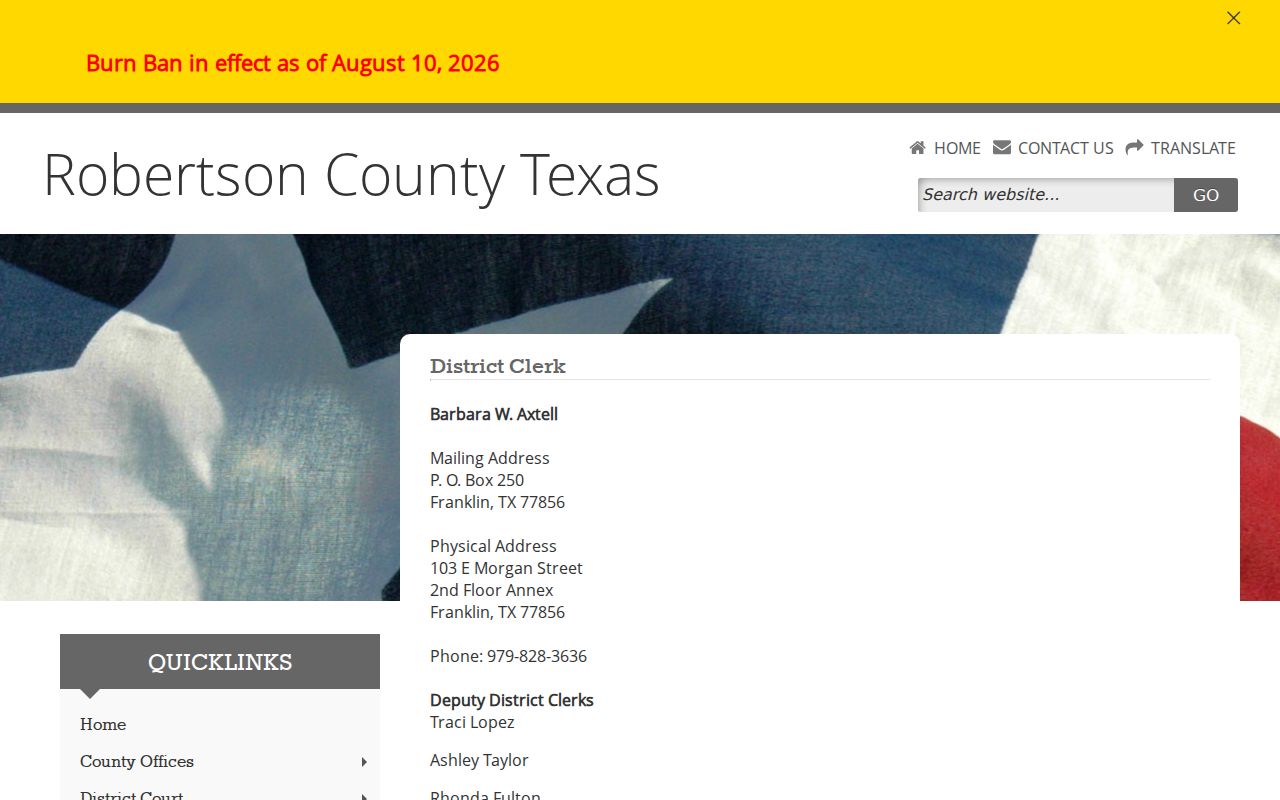
District matters go to the District Clerk at 103 E Morgan Street, second-floor annex, Franklin, phone 979-828-3636. The County Clerk at the same street address has a different docket family and phone, 979-828-4130. The sheriff's Records Division handles reports created by the Sheriff's Office, not records held by a city court or JP.
Texas has no single public statewide warrant search. DPS OmniBase handles eligible failure-to-appear or failure-to-pay reporting tied to license renewal; DPS says its license staff cannot confirm a warrant. City police, county constables, the sheriff, or other peace officers may serve process, while the issuing court controls its record.
Robertson County Warrant Requests Are Targeted
The District Clerk publishes dockets and record contacts for district cases. A clerk request should identify the court, cause number, date, and event sought. For a sheriff incident report, use the sheriff form and name the report number, date, location, and type of record. That form cannot create a countywide warrant check.
The annex listing helps a reader tell the district clerk route from the county courthouse and JP offices:
Do not ask the sheriff to recall a court process. Send a narrow request to the office that holds the record and retain any reply or fee notice.
Access and Restricted Warrants
Public access depends on record type and timing. Texas Code of Criminal Procedure Article 15.26 addresses access to an arrest warrant and supporting affidavit after execution, subject to other law. A sealed record or active-investigation material may be withheld. Juvenile warrant records have a separate confidentiality rule.
Key Rules:
Article 15.26 concerns public access after an arrest warrant is executed; it does not create a pre-execution public status search.
Texas Family Code Section 58.010 makes juvenile arrest-warrant material confidential, subject to authorized exceptions.
A blank public result does not clear a warrant. Ask the issuing clerk about the person's own case and the proper authorized route.
Search Warrants and Juvenile Files Differ
A search warrant concerns a location, device, vehicle, or property. Texas Code of Criminal Procedure Chapter 18 governs that separate record category, and no public Robertson County search-warrant database was located. If seeking a copy, ask which agency executed the warrant and give the report number or date.
Juvenile files require more care. The District Clerk or court may give instructions only through an authorized parent, guardian, appointed lawyer, or court process. Do not post a child's name or case details in a public message.